Fast daily entry
Get from meal to log quickly with shortcuts for common foods, recents, labels, barcode scans, voice, and AI-assisted estimates.
PlateMacro keeps daily macro tracking quick: scan a barcode, read a label, dictate a meal, or review AI estimates before saving. Your core food log stays on your iPhone.
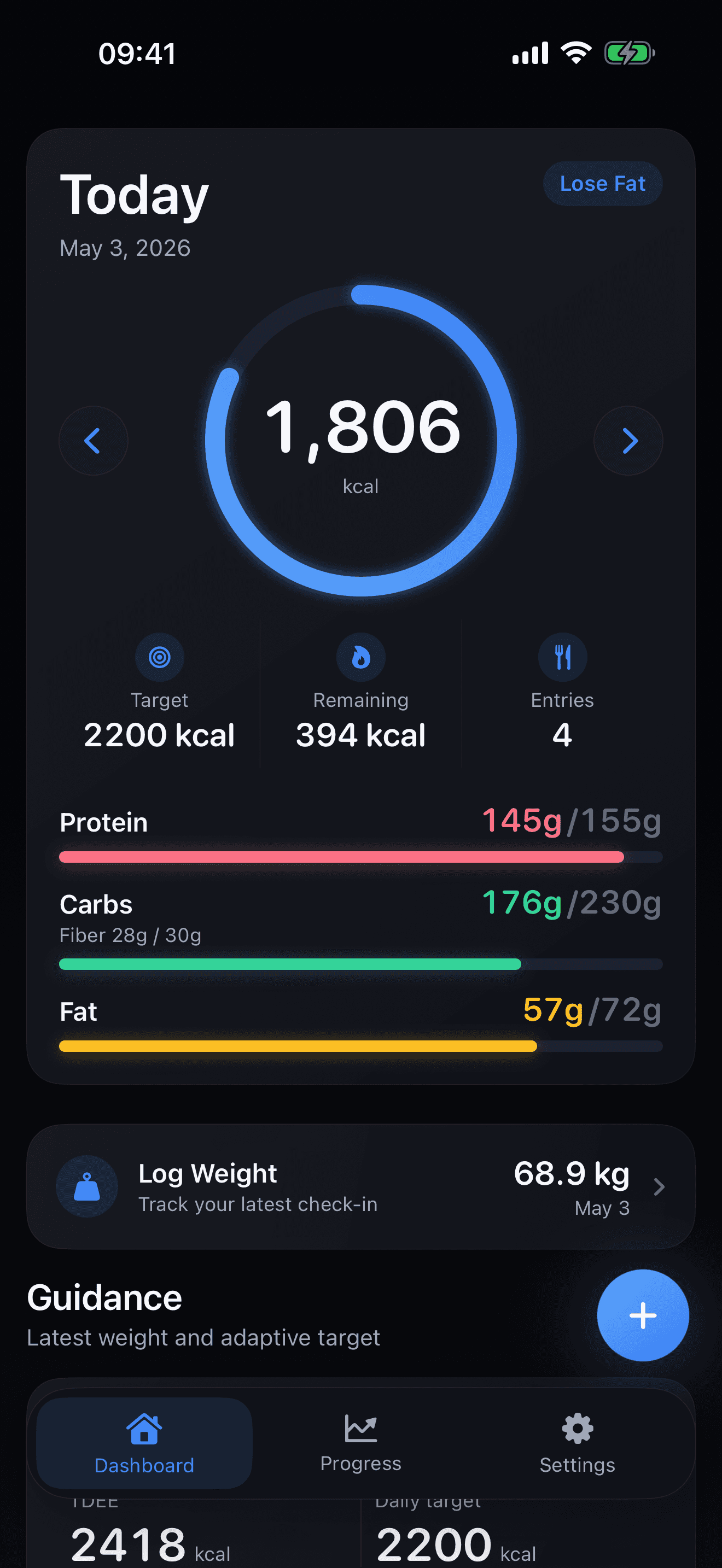
Get from meal to log quickly with shortcuts for common foods, recents, labels, barcode scans, voice, and AI-assisted estimates.
Focus on calories, macros, entries, weight check-ins, and progress without turning nutrition tracking into a spreadsheet.
OCR, voice, and AI-assisted entries stay editable, so users can confirm the result before it reaches the diary.
Food logs, targets, favorites, recents, and weight entries are stored on device as the default core workflow.
Log meals, favorites, recents, nutrition details, and daily macro totals.
Set calorie and macro targets that can adapt as weight and progress change.
Review weight entries, targets, macro history, and progress trends over time.
Try 3 AI actions free, then upgrade to PlateMacro Plus for continued AI-assisted photo and voice logging.
Use the camera to scan packaged foods when you choose.
Use the camera to read nutrition labels and turn them into editable food entries.
Send a meal photo only when you start AI Scan. Estimates are shown for review before saving.
Use microphone and speech features to create a transcript only when voice logging is used.
Food logs, weight entries, favorites, recents, targets, and profile data stay on device in SwiftData and local app storage. Users can reset local app data from inside PlateMacro.
PlateMacro is designed for people who want a fast daily food log without turning nutrition tracking into a spreadsheet. It keeps the core workflow focused on logging meals, reviewing calories and macros, and checking whether the day is aligned with the user's current target.
The product page also clarifies how the app handles optional camera, microphone, speech, AI, and subscription features. That keeps the main value proposition connected to practical usage and gives users a direct path to the detailed privacy policy before they rely on online features.
AI photo scan, voice log, and label OCR are intended to speed up entry, but users can review and adjust food details before saving them to their diary.
Local logs remain on device, while cloud services are used for account, subscription, quota, and optional AI requests. The privacy policy explains each data flow in plain language.